Modern website typography using Manrope matters because it bridges the gap between geometric clarity and digital readability. Users scan screens in fractions of a second, and a poorly chosen typeface breaks that flow. This font delivers sharp character shapes with a slightly humanist touch, making it reliable for everything from dashboard data to editorial layouts. When your text hierarchy looks consistent across mobile and desktop, readers stay focused on your actual content instead of fighting poor contrast or awkward letterforms.
Why does this geometric sans-serif fit modern web design so well?
Geometric sans-serif fonts often feel too rigid for long paragraphs. Manrope softens that rigidity without losing structure. The open counters and uniform stroke width keep characters legible even at smaller sizes. It handles UI elements like buttons, navigation bars, and form labels cleanly. The design balances mathematical precision with a natural reading rhythm. You also get access to a full variable weight range, which means fewer file requests and smoother loading times. If you are building a component library or a design system, this consistency reduces visual friction and speeds up development cycles.
When should you pick this font for a new site?
Choose this typeface when your layout relies on clean grids, minimal decoration, and clear information hierarchy. It works especially well for SaaS platforms, tech startups, and documentation-heavy sites where clarity beats stylistic flair. You will notice it shines when paired with generous white space and a restrained color palette. If your project already uses multiple decorative headers, switching to a neutral base font like Manrope often brings instant balance. You can also explore alternative sans-serif options that share similar spacing logic when you need a different visual tone for specific brand projects.
How do you handle responsive scaling and spacing correctly?
Responsive typography breaks when line heights and font sizes stay fixed. Set a base size between 16px and 18px for body text, then adjust using relative units like rem or em. Increase line height to at least 1.5 for paragraphs to prevent crowding. Tighten letter spacing slightly on uppercase labels or navigation items, but leave body copy untouched. The variable weight axis makes it easy to create subtle hierarchy without loading extra files. Use font weight 500 for subheadings and weight 700 for primary titles to maintain contrast. If you want a tighter text block for data tables or code snippets, switch to a dedicated interface typeface like Inter to keep numbers aligned. Proper spacing prevents reading fatigue on longer articles, and learning more about setting up clean text hierarchies helps you maintain consistency across templates.
What common pairing mistakes should you avoid?
Mixing two geometric sans-serifs usually creates a flat, boring interface. Readers need contrast to separate headings from body copy. Avoid stacking heavy bold headers with thick paragraph weights. The visual difference should come from structure, not just thickness. If your brand already leans traditional, a classic serif creates immediate separation. You can review specific serif combinations to see how clean lines interact with older print-inspired styles. Another frequent error is ignoring dark mode contrast. Pure white text on pure black backgrounds causes halation and eye strain. Shift to off-whites and deep grays to keep edges soft. When pairing with editorial layouts, try a refined body serif like Lora for pull quotes or article intros while keeping the interface neutral.
How do you prepare these files for production?
Web performance depends on how you serve font files. Always subset the character set to Latin only unless your audience needs extended glyphs. Use the modern woff2 format and skip legacy formats unless you support extremely old browsers. Add font-display swap to prevent invisible text during loading. Keep your weight usage consistent across components to avoid unexpected layout shifts. Preload the main regular and medium weights in the document head if they render above the fold. Test your actual text blocks on real devices, not just design software mockups, because screen renderers handle anti-aliasing differently across operating systems.
What should you verify before publishing?
- Check paragraph line height against mobile breakpoints to avoid cramped text.
- Run a Lighthouse audit to confirm no layout shift from delayed font loading.
- Verify contrast ratios meet WCAG 2.2 standards for both normal and large text.
- Test bold and medium weights side-by-side to ensure clear visual hierarchy.
- Remove unused weights and italic styles from your final stylesheet.
Start by mapping out a simple typographic scale using only three weights. Apply that scale to your most common UI elements, then adjust line heights based on container width. Keep your CSS organized around utility classes or design tokens so changes propagate automatically across pages. Review your live site on a phone under direct sunlight to confirm legibility in harsh conditions. Once the base text reads clearly, you can safely adjust spacing and color without breaking readability or user trust.
Learn More Best Manrope Font Pairing Examples for Modern Websites
 Perfect Pairings: Manrope with Classic Serif Fonts
 Complementary Fonts for Manrope on Modern Sites
 Manrope Font Pairings for Bold Tech Branding
 Finding Your Manrope Logo's Perfect Font Partners
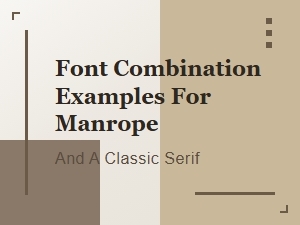 Manrope and Classic Serifs: Font Combination Examples